
How to Enable 5G on iPhone, iPad and Android Devices
By Tanveer Ahmed :

As 5G networks continue expanding across major cities, more consumers are upgrading to devices capable of supporting the next-generation mobile standard. Faster download speeds, lower latency and improved reliability have become key selling points for modern smartphones and tablets.
However, even if a device supports 5G connectivity, the feature is not always enabled by default. In many cases, users need to manually adjust a few settings to activate it.
The process typically takes less than a minute, though the steps vary slightly depending on whether the device runs Apple’s iOS or Android. Below is a simple guide explaining how users can enable 5G on commonly used smartphones and tablets.
How to Enable 5G on iPhone (iOS)


4
Before enabling 5G, users should ensure they are within a 5G coverage area and are using a compatible SIM or eSIM plan.
On an Apple iPhone, the feature can be activated through the following steps:
Step 1: Open Settings from the Home screen
Step 2: Scroll down and tap Cellular
Step 3: Select Cellular Data Options
Step 4: Tap Voice & Data
Step 5: Choose 5G Auto
Once these steps are completed, the iPhone will automatically connect to 5G networks when available while switching to LTE when necessary to conserve battery.
How to Enable 5G on iPad (iOS)
4
For iPads with cellular capability, the setup process is very similar.
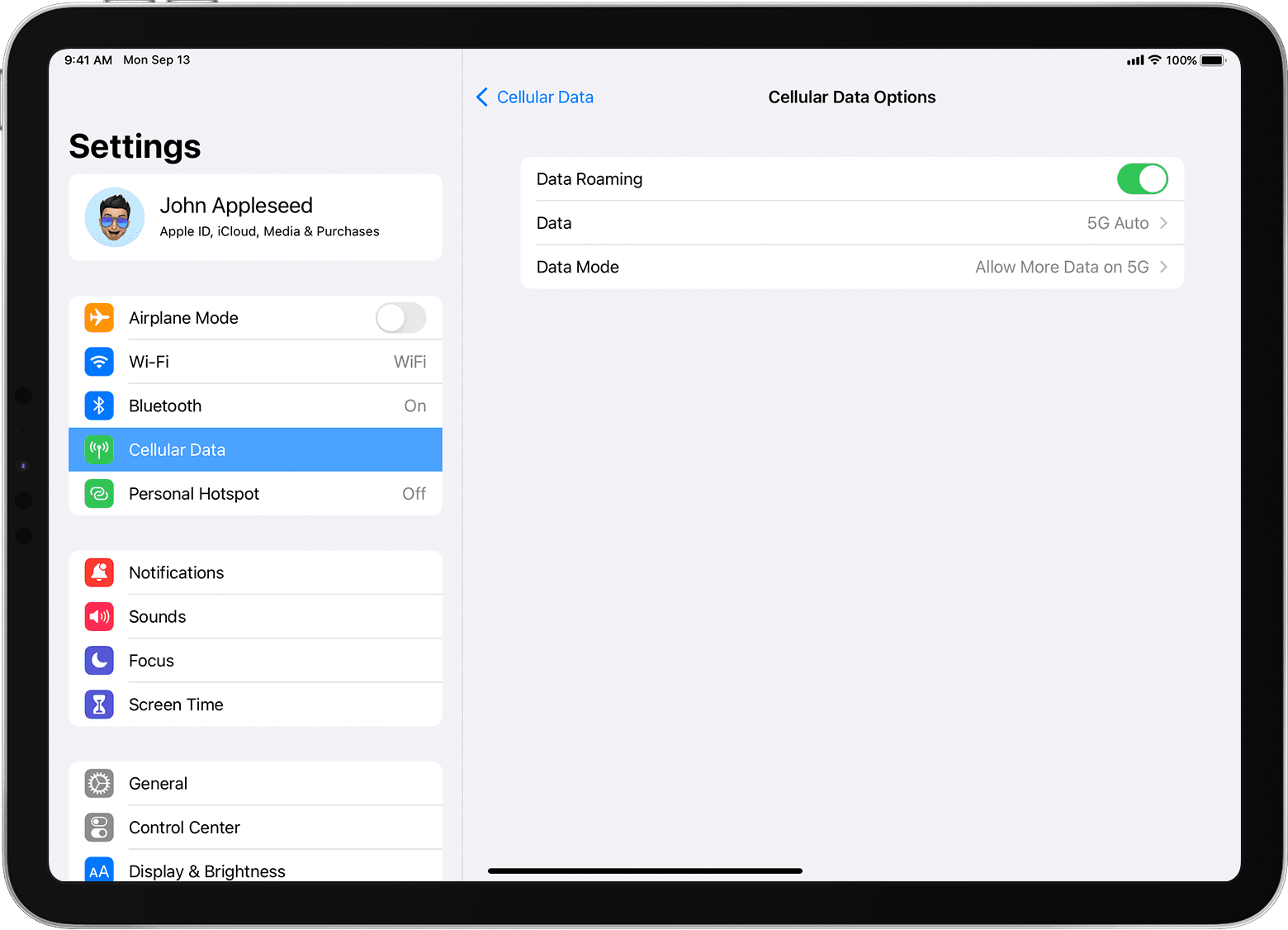
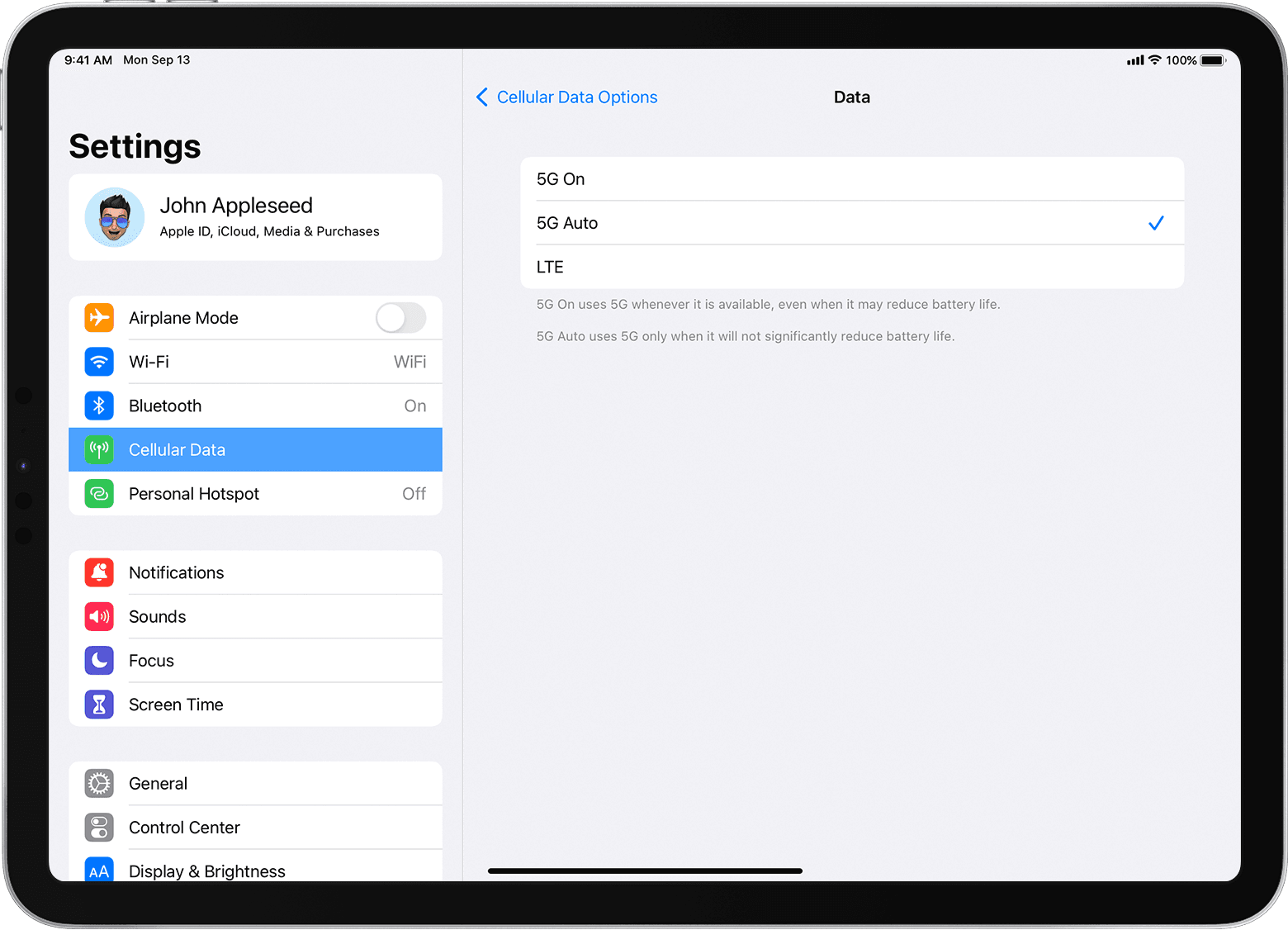
On devices such as the iPad Air with cellular support, users can enable 5G by following these steps:
Step 1: Open Settings from the Home screen
Step 2: Select Cellular Data from the left-hand menu
Step 3: Tap Cellular Data Options
Step 4: Select Data Mode or Voice & Data (depending on the model)
Step 5: Choose 5G Auto
After completing the setup, the iPad will be able to connect to 5G networks whenever coverage is available.
How to Enable 5G on Android Phones


4
The exact menu layout on Android devices may vary depending on the manufacturer, but the overall process remains similar across most brands.
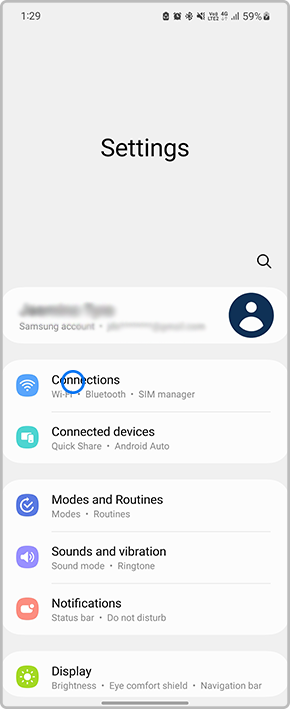
On devices such as a Samsung Galaxy smartphone, users can enable 5G using the following steps:
Step 1: Swipe up from the Home screen to open the app menu
Step 2: Tap Settings
Step 3: Select Connections
Step 4: Tap Mobile Networks
Step 5: Turn on Allow 5G Service
Once activated, the device will automatically connect to a 5G network whenever it is available.
How to Enable 5G on Android Tablets


4
Android tablets that support cellular connectivity follow nearly the same process as smartphones.
On devices such as the Samsung Galaxy Tab series, users can enable 5G using these steps:
Step 1: Swipe up from the Home screen to open the menu
Step 2: Open Settings
Step 3: Tap Connections from the side menu
Step 4: Select Mobile Networks
Step 5: Enable Allow 5G Service
After these settings are enabled, the tablet will automatically switch to 5G connectivity when available.
As 5G adoption continues to grow globally, enabling the feature ensures users can benefit from faster internet speeds, smoother streaming, and improved network performance on compatible devices. A few simple adjustments in the settings menu can unlock the full potential of modern mobile hardware.
About Author